top of page

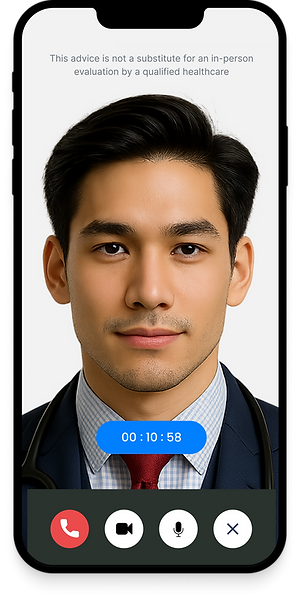
How to use :
MyPocketDoc Telemedicine Application
Your Journey to Immediate Care.
Your MyPocketDoc journey begins with a simple download and registration of the mobile application. Once set up, you gain access to our full suite of digital health services.
To manage your consultations, you can activate pre-purchased or gifted credits / vouchers in the designated 'Redeem' section.
For everyday health education and quick, reliable information, use our AI Healthcare Advisor - DK for General Medical Advisory. When a time-sensitive, non-life-threatening concern arises, initiate Urgent Medical Triaging for a rapid, data-driven assessment followed by a seamless tele-consultation with a licensed doctor.
Explore the dedicated sections below to learn more about each powerful feature.
How to use :
Download MyPocketDoc
Starting your journey with MyPocketDoc is fast.
Follow these two simple steps to gain instant access to our digital health platform:
Step 1: Download the App
Locate the MyPocketDoc app on your device's official store and download it for free:
-
For iPhone users : Search for "MyPocketDoc" on the App Store
-
For Android users : Search for "MyPocketDoc" on Google Play Store
Step 2: Create a User Account
-
Open the MyPocketDoc app on your mobile device.
-
Tap "Register" .
-
Fill in your basic personal details.
-
Check your email for a verification link and confirm your account.
Once confirmed, you can log in and begin using the General Medical Advisory (DK) or access other services!
To see a complete step-by-step guide from download to first log-in, please watch the video below.

Redeem Your Complimentary Subscription or Call Credits
If you have been provided with a voucher or code for a complimentary subscription or call credits, you can easily activate it within the MyPocketDoc app to top up your balance.
Watch the video to learn how to redeem your complimentary subscription or call credits step-by-step.

How to:
How to use :
MyPocketDoc General Medical Advisory (GMA)
Powered by the MyPocketDoc platform, DK AI empowers users with quick medical self-assessment and direct access to certified healthcare professionals.
Watch this 60-sec video to learn how to use MyPocketDoc General Medical Advisory.

How to use:
MyPocketDoc Urgent Medical Triaging (UMT)
Powered by the MyPocketDoc platform, empowers users with quick medical self-assessment and guided by DK AI Healthcare Advisor.
Watch this 90-sec video to learn how to use MyPocketDoc Urgent Medical Triaging.

How to:
Add or top-up Call Credit
All call credits instantly to continue your consultation. It's quick, secure and updates in seconds.
Watch this 30 second guide to top-up your credits before your next call

Start your smart health journey today

Scan to experience DK AI inside the MyPocketDoc app


bottom of page